This is general information, not tax, legal or financial advice.
Important: this post is about organizing money, not about tax rules. It is not legal, tax or financial advice. How much to set aside, when to pay, and what applies to you depend on where you live and your own situation. Ask a qualified tax professional.
When you are employed, tax is often taken out of your pay before you see it. As a freelancer, you are usually the one who has to set money aside and make sure it is there when it is needed. Many people find this harder than the work itself, not because the math is difficult, but because the money sits in the same account as everything else and quietly gets spent.
This post describes a simple system for setting money aside from every payment and checking in on it each quarter. It does not tell you how much to set aside or what you owe. Those answers depend on your situation, and a tax professional is the right person to help with them.
Step 1: Talk to a tax professional early
The most useful thing you can do is have a short conversation with a qualified tax professional near the start of your freelance year, not at the end. Questions worth bringing:
- Do I need to make payments during the year, and if so, when?
- Roughly how much should I set aside from each payment, given my situation?
- What records should I keep, and for how long?
- Which of my business costs should I track carefully?
- When should we check in again?
Write their answers down and keep them with your business records. Rules and amounts can change, so ask them to tell you what to review each year.
Step 2: Open a separate account for tax money
A separate savings account just for tax makes the system work. Money in your main account feels available. Money in an account named "Tax" does not. Many banks let you open a second account and give it a nickname. Choose one that is not linked to a debit card, so it is a little less convenient to dip into.
Step 3: Move money every time you are paid
Some people set aside a percentage of every payment they receive; ask a tax professional what fits you. The habit matters more than the exact number at first. Each time a client pays you:
- Note the amount received
- Move the set-aside amount into the tax account the same day
- Record the transfer in a simple log: date, client, amount received, amount set aside
Doing it on the day you are paid keeps it small and routine. Waiting until the end of the month makes the transfer feel bigger and easier to skip.
Step 4: Keep a simple log
A basic table is enough. For each payment, record the date, the client, the invoice number, the amount received, and the amount you moved to the tax account. At the end of each month, add up both columns.
If you track projects, hours, and invoices together, the Client and Project Log Book we are preparing will have an invoice tracker section. It is coming soon and not available to buy yet. A spreadsheet works just as well in the meantime.
Step 5: Review every quarter
Put four dates in your calendar, one per quarter. At each review, spend half an hour on these steps:
- Add up what you received in the quarter and what you set aside
- Compare your income with what you expected when you set your plan
- Check whether any payments or deadlines your tax professional mentioned are coming up
- Note any big changes, such as a new large client or a quiet patch
- Decide whether to ask your tax professional to adjust the plan
If your income is much higher or lower than you expected, that is a good moment to check in with them rather than guess.
Step 6: Build the set-aside into your prices
Money you set aside for tax has to come from somewhere, and that somewhere is your rate. When you work out what to charge, include a tax set-aside in the calculation so that what is left after setting money aside still covers your income goal and costs.
Our free freelance rate calculator has an optional tax set-aside field for exactly this: enter the percentage your tax professional suggested and see the hourly and day rate you need. When you price a project, the project quote calculator turns that rate into a quote with a buffer. Both are planning aids. They do not calculate tax.
You may also find our guide on how to set your freelance rate helpful.
Step 7: Keep the paperwork together
At the end of the year, the people who have the easiest time are the ones whose records are already in one place. Keep these together:
- Your payment log and tax account statements
- Copies of your invoices
- Receipts for business costs
- Any mileage records, if you drive for work (our post on tracking business mileage has a simple system)
- Notes from your conversations with your tax professional
Protect your income in the first place
A set-aside system only works if clients pay. Clear agreements, written scope, and polite invoice follow ups all help. The First Client Ready Pack includes email scripts for scope confirmation and invoice nudges, and our free 16 Client Red Flags checklist covers payment warning signs, including overpayment scams, with a calm next step for each.
The short version
- Get advice from a tax professional early in the year
- Use a separate account for tax money
- Move money the day you are paid
- Keep a simple log
- Review each quarter and ask for help when things change
None of this is complicated. It just needs to happen every time, so the money is there when you need it.
This is general information, not tax, legal or financial advice.
More posts from the blog · All templates and kits · Gifts and apparel · Free tools
Related kits
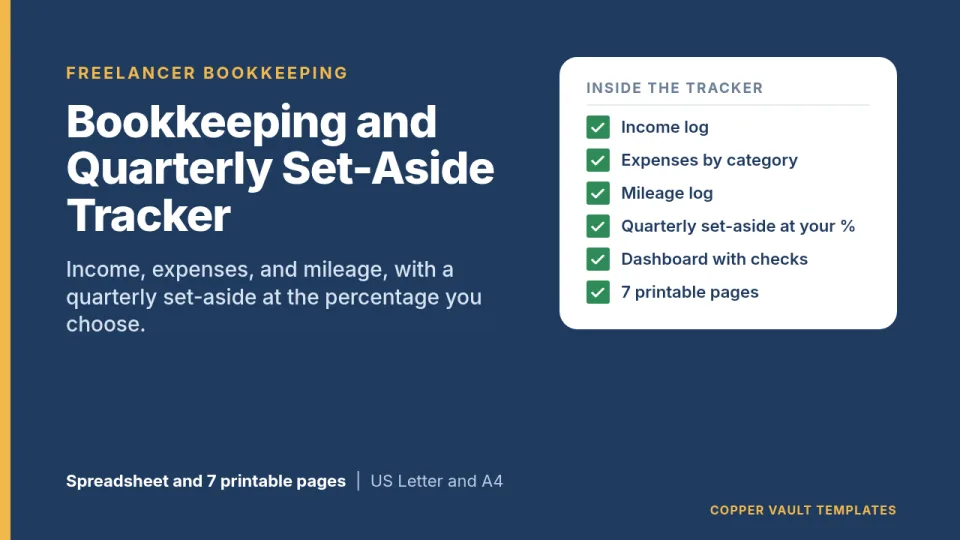
Bookkeeping spreadsheet
Freelancer Bookkeeping and Quarterly Set-Aside Tracker
A bookkeeping spreadsheet for freelancers that tracks income, expenses by category, and mileage, plans a quarterly set-aside based on the percentage you choose, and checks that your totals add up.