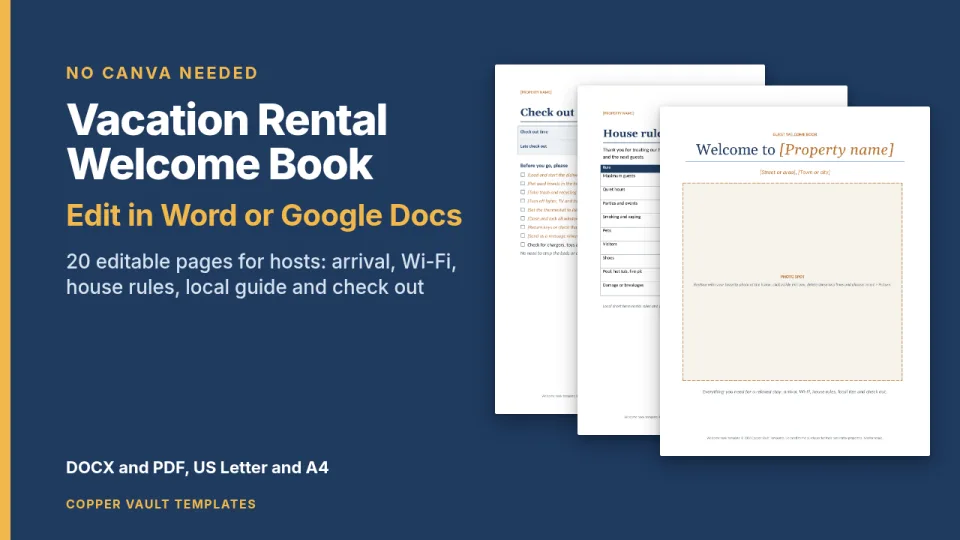
A guest welcome book you can finish in an afternoon, without Canva or a design app. Open the files in Microsoft Word or Google Docs, replace the copper placeholders in [square brackets], add your own photos to the labeled photo spots, and print it or share it as a PDF.
What's inside
- Welcome book, 20 editable pages (Word .docx, US Letter and A4): cover, welcome note, contents, hosts and contact, arrival and check in, Wi-Fi and TV, house rules, parking and getting around, kitchen and appliances, laundry and heating, bedrooms and bathrooms, trash and recycling, outdoor spaces, safety and emergencies, safety equipment locations, three local guide pages (food and drink, things to do, shops and essentials), check out checklist, and a thank you and guest book page
- House Rules sign and Wi-Fi sign, one page each, editable
- Printable PDFs of everything, so you can see the layout first
- Quick Start guide (PDF)
What you need
- Microsoft Word or a free Google account (Google Docs). No Canva needed
- A PDF reader to view the printable PDFs
- Unzip the file on a computer for the easiest editing
Good to know
- Photo spots are empty boxes for your own photos. No photos are included
- You may edit and use these templates for the rental properties you own or manage, and print as many copies as you need. Please do not resell, share, or redistribute the templates themselves, edited or unedited
- An editable template, not legal, tax, financial, safety, or insurance advice. Short term rental rules, permits, taxes, and safety requirements vary by place, and listing platforms have their own policies. Check local laws and the rules that apply to your property, and check every phone number, address, and safety detail before you share the book with guests
- Digital download only. Nothing is shipped