You have a few clients. The details live in your inbox and a notes app. Then something slips: a proposal you forgot to follow up on, a project waiting for a login, an invoice that is three weeks late.
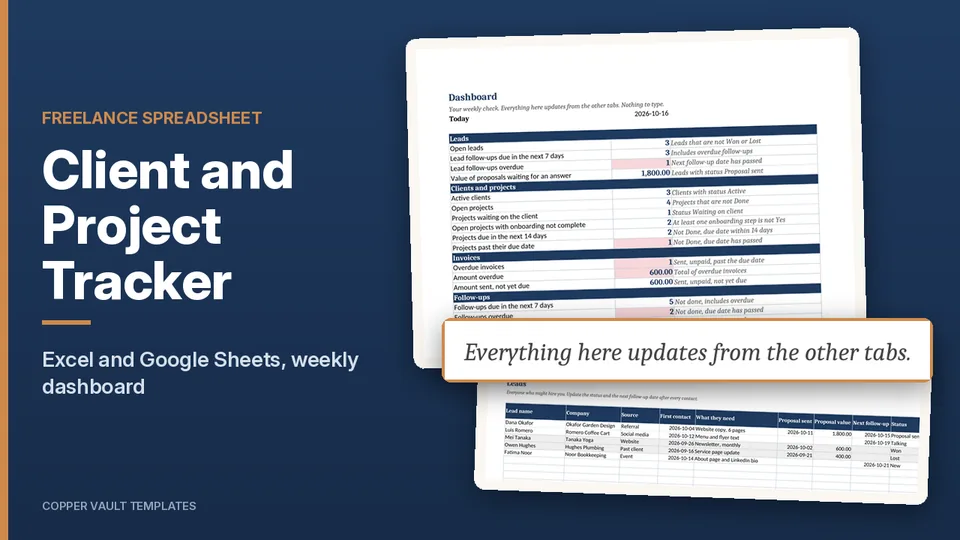
CRM software feels like too much. The Client and Project Tracker is one spreadsheet: five tracking tabs, a weekly dashboard, and no macros.
What's inside
- Leads: source, first contact, proposal date and value, next follow-up, status, and days to follow-up (auto)
- Clients: contacts, approver, billing contact, preferred channel, time zone, status
- Projects: deliverables, dates, and five onboarding steps (intake sent, kickoff done, scope confirmed, access complete, first result shared), with an onboarding percentage and days to due date
- Invoices: amount, sent, due, and paid dates, with status and days overdue filled in for you
- Follow-ups: every "waiting on" item in one list, sortable by due date
- Dashboard: open leads, overdue follow-ups, open projects, overdue invoices, and more
- A blank tracker with one example row per tab, plus a filled sample so you can see it working
- A start here guide with a 5-minute setup and a weekly routine
Who it's for
- Freelancers with about 2 to 10 clients who want something simpler than a CRM
- Buyers of the First Client Ready Pack who want the same workflow in a spreadsheet
Who it's not for
- Anyone looking for bookkeeping, tax, or income reports (this tracker keeps those out on purpose)
- Teams that need a shared CRM with permissions and pipelines
Format
One ZIP with the tracker and a filled sample (two .xlsx files), plus a start here guide in PDF, Word, and Markdown. Made for Microsoft Excel. Tested in Google Sheets and LibreOffice Calc. Uses simple formulas with no macros.
Please note
This tracker is a practical organizing tool. It is not legal, tax, or financial advice, and its totals are not tax or financial records.