This is general information, not tax, legal or financial advice.
RSVPs arrive in every possible way: reply cards, wedding website forms, texts to your mom, and a quick "we'll be there!" at a family dinner. If they end up in different places, the final headcount turns into detective work just when vendors need numbers. The fix is one list, a clear deadline, and a short follow up routine. Here is how to track wedding RSVPs from the first invitation to the final seating plan.
Start with one guest list
Every RSVP needs somewhere to land. Before invitations go out, set up a single guest list, either on paper, in your wedding website tool, or in a spreadsheet. The important part is that there is only one.
Useful columns for an RSVP tracker
- Household or party name: for example "The Garcia family"
- Guest names: one row per person, so meals and seats are easy to count
- Invited by: which side or which partner, if that helps you plan
- Address and contact: for invitations and reminders
- Invitation sent: date or a simple Yes
- RSVP status: Waiting, Attending, Not attending
- Meal choice and dietary notes
- Plus one allowed: Yes or No, and the name once you know it
- Table number: filled in later
- Gift and thank you note: to track after the wedding
One row per guest, grouped by household, makes the counting much easier. A household of four with one person unable to come is simple to record this way.
Best way to track wedding RSVPs: choose a collection method
There are three common ways to collect RSVPs. Many couples use two.
Reply cards by mail
Traditional and easy for older guests. Number the back of each card lightly in pencil and match the number to a household on your list. That way an unsigned card can still be traced.
A wedding website form
Fast and easy to total. Most wedding websites can collect meal choices and dietary needs too. Export or copy the responses into your main list regularly so everything stays in one place.
Phone, text, or in person
These will happen no matter what. When someone tells you their answer in passing, update the list that day, or keep a quick note on your phone and add it in the evening.
How to track wedding RSVPs for free
You do not need paid software. A free spreadsheet in Google Sheets or Excel handles a guest list of several hundred people easily. Add a few simple totals at the top:
- Total invited
- Attending
- Not attending
- Still waiting
- Count of each meal choice
With those numbers visible, you can see where things stand at a glance.
When should wedding RSVPs be due
A common approach is to set the RSVP date about three to four weeks before the wedding. The real deadline comes from your vendors, so work backwards:
- Ask your caterer and venue when they need final numbers
- Allow a week or so for chasing late replies
- Allow a few days for seating and place cards
- Set your RSVP date before all of that
If you are planning a destination wedding, guests may need more time to book travel, so an earlier date often works better. Put the RSVP date clearly on the card and on your website.
How to follow up on wedding RSVPs
Some guests will not reply by the date. It is usually forgetfulness, not rudeness. A light, friendly follow up works well.
A simple routine
- The day after the RSVP date: filter your list for anyone still marked Waiting
- Send a short, warm message: "Hi Sam! We are finalizing numbers for the wedding on June 12. Will you be able to join us? Just reply yes or no, and let us know your meal choice."
- Share the work: ask a parent or friend to contact guests they know well
- Set a final cut off: a few days later, mark anyone still unanswered and decide together how to count them
What to do if wedding guests do not RSVP
After a polite reminder and a final check, you have two options. You can count them as not attending, or you can count them as attending so there is enough food and seating. Talk to your caterer about what they suggest for your guest count. Whichever you choose, write it down in your list so the numbers are consistent.
Turning RSVPs into final numbers
Once responses are in, your tracker becomes the source for vendor numbers.
- Headcount: adults and children, if your caterer prices them differently
- Meals: a count of each option, plus a separate dietary list with names and table numbers
- Seating: assign tables and check that no table is over capacity
- Day-of details: a printed list for your coordinator or venue
Double check that every guest marked Attending has a meal choice and a table. Those are the two gaps that cause the most last minute questions.
Track gifts and thank you notes too
The same list works after the wedding. Add what each household gave and tick off the thank you note when it is sent. It keeps a busy few weeks organized.
Keep guest information private
Your list holds addresses and phone numbers. Share it only with people who need it, such as your planner or a parent helping with invitations, and avoid posting it in large group chats.
A ready made tracker
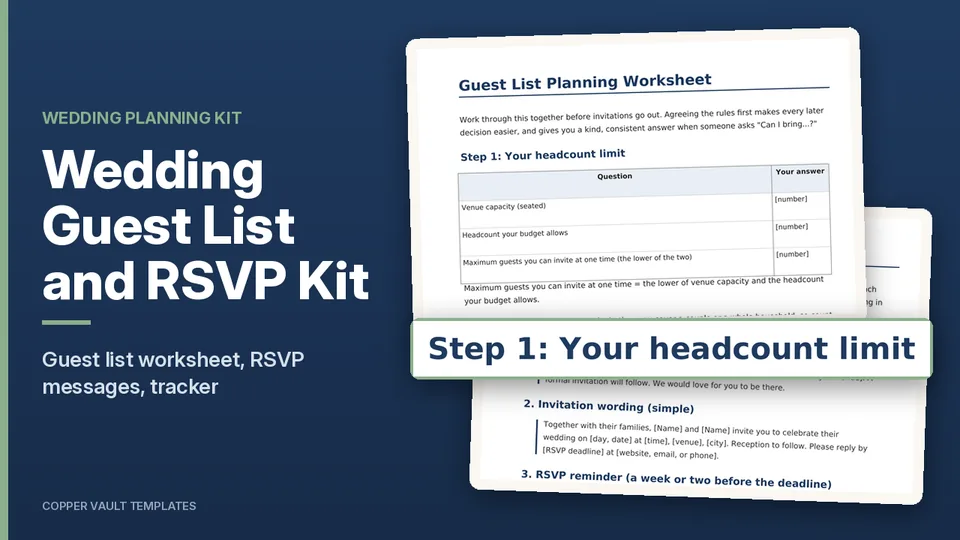
If you would rather not build the spreadsheet yourself, the Wedding Guest List and RSVP Tracker Kit is a tracker made for Microsoft Excel with RSVP status, meal counts, seats left per table, and thank you note tracking, plus RSVP and reminder message wording.
Quick recap
- Keep one guest list, one row per guest
- Collect RSVPs by mail, website, or both, and copy everything into the list
- Set the RSVP date by working back from vendor deadlines
- Follow up kindly the day after the deadline
- Use the list for headcount, meals, seating, and thank you notes
This is general information, not tax, legal or financial advice.
More posts from the blog · All templates and kits · Gifts and apparel · Free tools
Related kits
Wedding planning kit
Wedding Guest List and RSVP Tracker Kit
A wedding guest list and RSVP tracker for Microsoft Excel that counts headcount, meals, tables, and thank-you notes for you, plus RSVP messages and thank-you note templates.