This is general information, not tax, legal or financial advice.
If you rent out a unit or two and manage them yourself, rent tracking usually starts in your head and your banking app. That works until a tenant pays half on the 3rd and the rest on the 12th, or until you need to answer a simple question like "is anyone behind right now?" This guide walks through a plain system for tracking rent payments that takes a few minutes a month.
This is general information to help you stay organized. Rules about rent, receipts, late fees, deposits, and record keeping vary by state, province, and city, so check your local rules and your lease, or ask a qualified professional about your situation.
Why track rent payments in one place
Your bank shows money arriving. It does not show what was due, what is still owed, or which payment belongs to which month. A rent ledger connects the two. With one list of charges and payments you can:
- See at a glance who has paid this month and who has not
- Handle partial payments without losing track of the balance
- Answer tenant questions quickly and calmly
- Hand clean records to your accountant or bookkeeper at year end
- Spot patterns early, such as a tenant who is slipping later each month
What to record for every rent payment
Keep the same fields for every payment so the list stays easy to read and easy to total.
- Unit and tenant: which property and who is responsible for the rent
- Rent period: the month or period the payment is for, such as "March 2027"
- Amount due: the rent charged for that period
- Due date: the date in your lease
- Date received: when the money actually arrived
- Amount received: what was paid, even if it is less than the full rent
- Payment method: bank transfer, check, payment app, or cash
- Reference: a check number or transaction ID
- Balance: what is still owed for that period
- Notes: anything worth remembering, such as an agreed payment date
If you accept cash, write a receipt and record it the same day. Cash is the payment type that is easiest to lose track of.
How landlords track rent payments: three common options
A paper ledger
A notebook or printed ledger page works for a single unit. It is simple, but totals and balances have to be worked out by hand, and it is hard to search later.
Property management software
Online rent collection tools can record payments automatically. They suit some landlords well, but they often come with monthly fees, and your tenants may need to sign up too.
A rent tracker spreadsheet
For most small landlords, a spreadsheet sits in the middle. It is free or low cost to run, you own the file, and it can do the math for you. Excel and Google Sheets both work well for this.
Best way to track rent payments in Excel or Google Sheets
A good rent tracker spreadsheet usually has three parts.
- A units and tenants list. One row per unit with the tenant name, lease start and end dates, and monthly rent.
- A rent ledger. One row per rent charge per month. Each row shows the amount due, the payments received, the running balance, and a status such as Paid, Partly paid, Overdue, or Not yet due.
- A summary. A small dashboard that totals rent due this month, rent received, and anything overdue.
Two simple rules make the spreadsheet much more reliable:
- Record charges and payments separately. Add the rent charge at the start of each month, then add payments as they arrive. That way a partial payment reduces the balance instead of overwriting it.
- Do not delete rows. If you make a mistake, add a correcting entry with a note. Your history stays complete.
How to record partial and late rent payments
Partial payments are where most rent tracking falls apart. Here is a calm way to handle them.
- Record each payment on the date it arrives, with the actual amount.
- Link every payment to the rent period it covers. If a tenant pays two months at once, split it across the two periods.
- Let the balance column show what remains, rather than changing the amount due.
- Add a short note if you agreed on a date for the rest, then check it on that date.
For late payments, the ledger does the remembering for you: anything past its due date with a balance shows as overdue. Whether and how you charge late fees depends on your lease and your local rules, so check those before you add any fee to the ledger.
A monthly rent tracking routine
A routine keeps the ledger accurate without much effort.
At the start of the month (10 minutes)
- Add the new rent charge for each unit
- Check that any lease changes or rent changes are reflected
On and after the due date (5 minutes, a few times)
- Match deposits in your bank account to ledger rows
- Record each payment with its date, amount, and reference
- Send a friendly reminder if a payment has not arrived
At the end of the month (10 minutes)
- Confirm every unit is Paid, Partly paid, or Overdue
- Note any follow up needed next month
- Save a copy or a backup of the file
Once a year
- Check upcoming lease end dates for the next few months
- Export the year's ledger for your records and your accountant
How to keep track of rent payments with more than one property
The same system scales to several units. Give every unit a short code, such as "Elm 1" or "Oak B", and use it in every row. Then you can filter the ledger by unit, see one property at a time, or total everything together. Keep one file for all units rather than one file per unit, so your summary stays in one place.
Keep records safe and private
Rent records include personal information. Store the file somewhere protected, limit who can open it, and avoid keeping full bank account numbers in it. A transaction reference or the last four digits is enough to match a payment.
Be careful with payment scams too. If someone asks you to refund an overpayment or to send money back by a different method, slow down and confirm the payment has truly cleared with your bank first.
A ready made option
If you would rather not build the spreadsheet yourself, the Small Landlord Rent and Repairs Kit includes a rent ledger with balances and status, lease end dates, repairs with priority and days open, and a simple dashboard, along with a move in and move out condition checklist and tenant message templates. It is made for Microsoft Excel and tested in Google Sheets and LibreOffice Calc.
Quick recap
- Track charges and payments separately, one row each
- Record every payment the day it arrives, with a reference
- Let a balance column handle partial payments
- Follow a short monthly routine
- Check your lease and your local rules, or a qualified professional, before acting on late fees or deposits
This is general information, not tax, legal or financial advice.
More posts from the blog · All templates and kits · Gifts and apparel · Free tools
Related kits
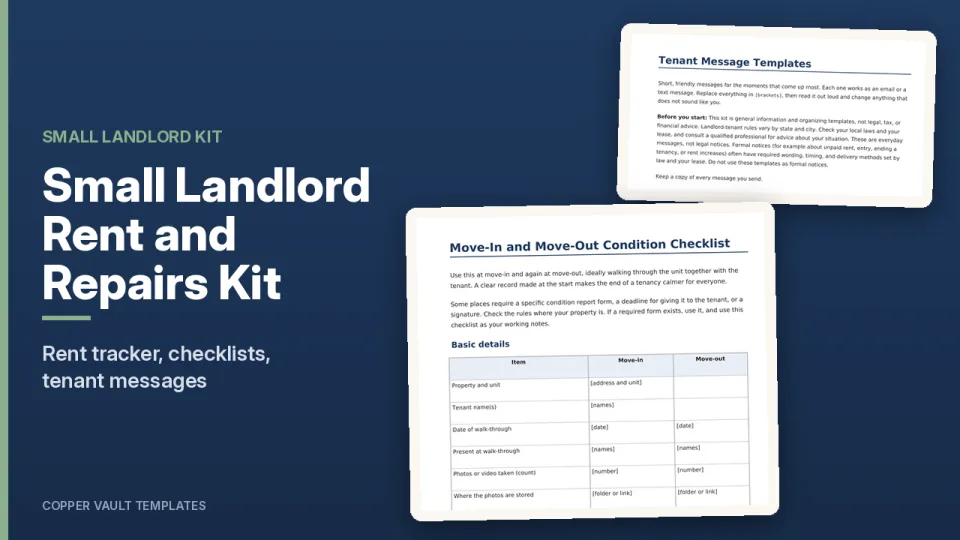
Small landlord kit
Small Landlord Rent and Repairs Kit
A simple rent, lease, and repairs tracker for Excel and Google Sheets, plus a move-in and move-out checklist, tenant message templates, and a deposit worksheet for small landlords.